KPIs & trends for the manager
ManagerCompliance averages and their trend, site rankings and recurring weak items — so you know where to step in.
For quality & field-inspection managers — in any sector
Assign inspection teams and follow them live, and receive each mobile assessment as an A4 report on your letterhead the moment the visit ends. Every visit, report and letter archived in one place — with a dashboard that shows where sites improve and where they slip.
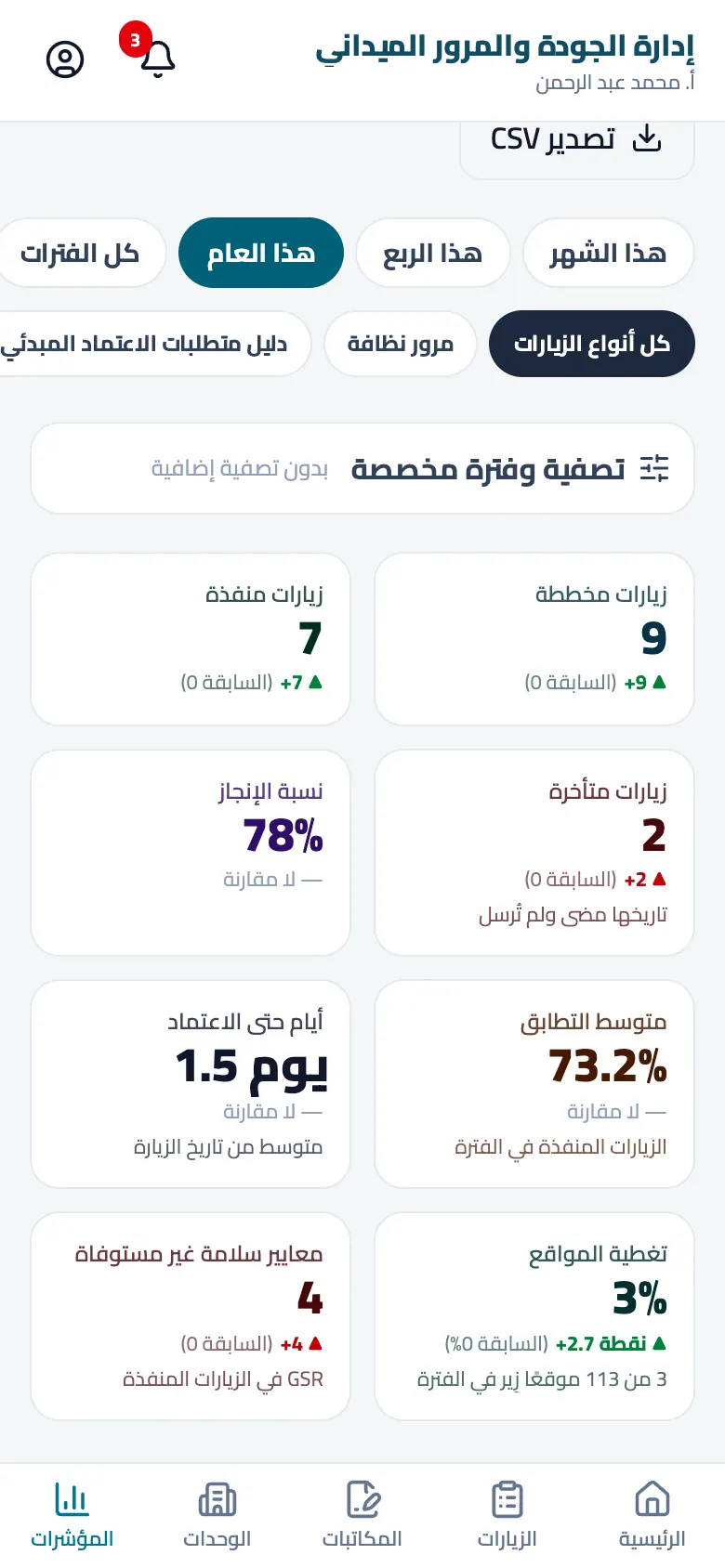
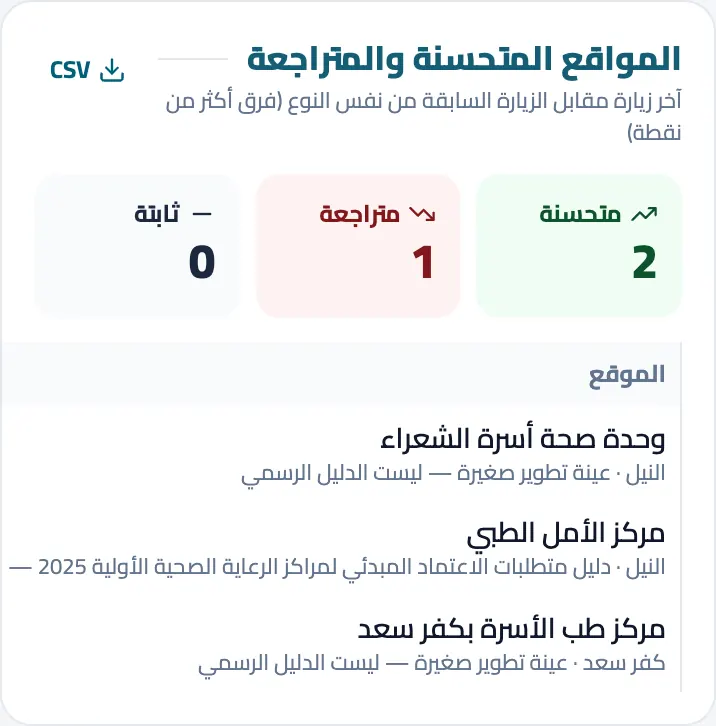
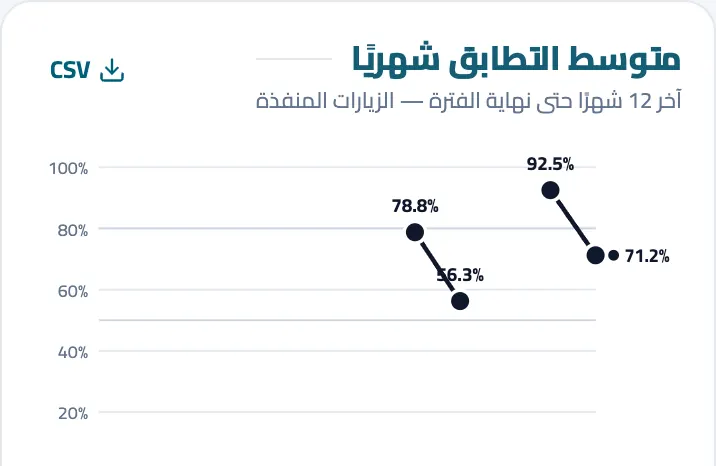
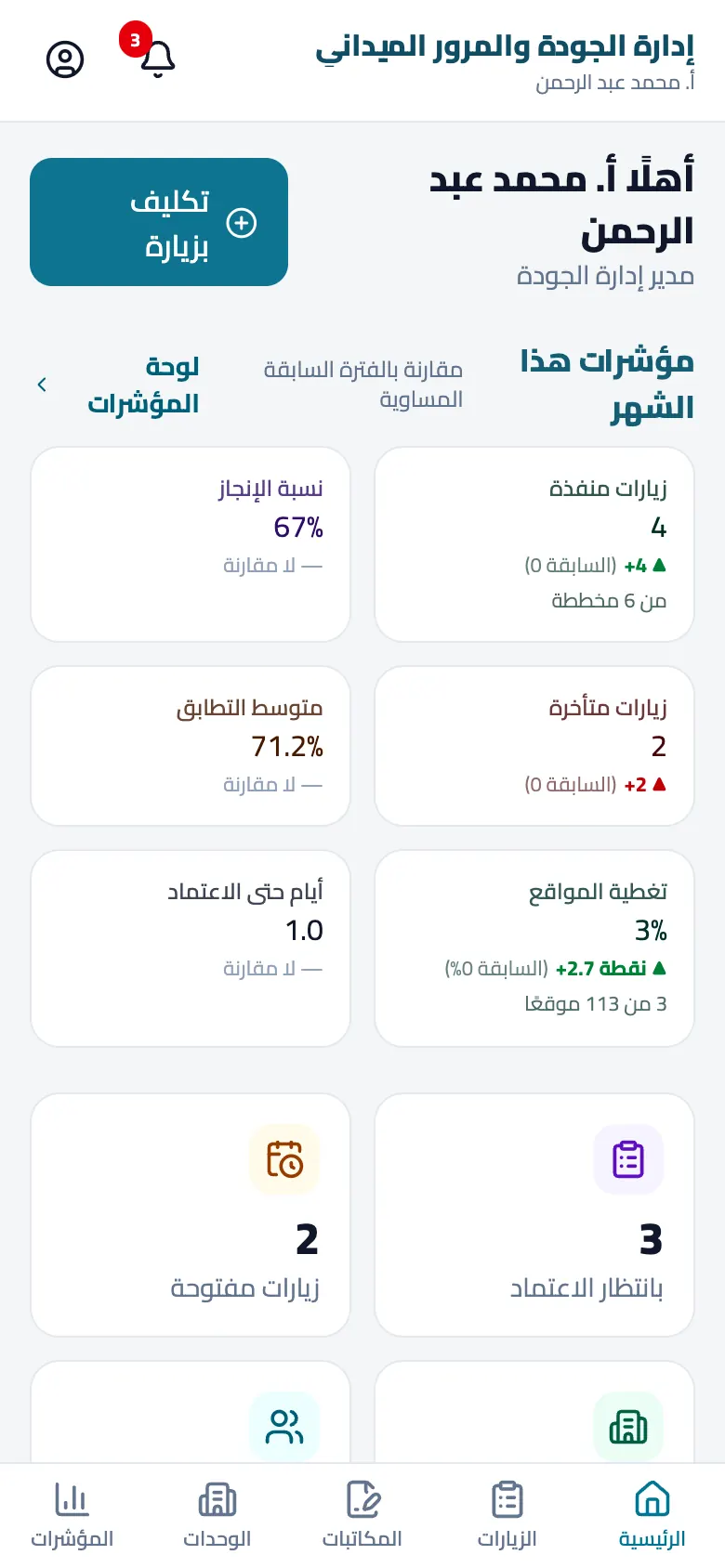
Manager cockpit
Not a list of visits — an answer to your daily question: is my department's work improving, and where should I step in?
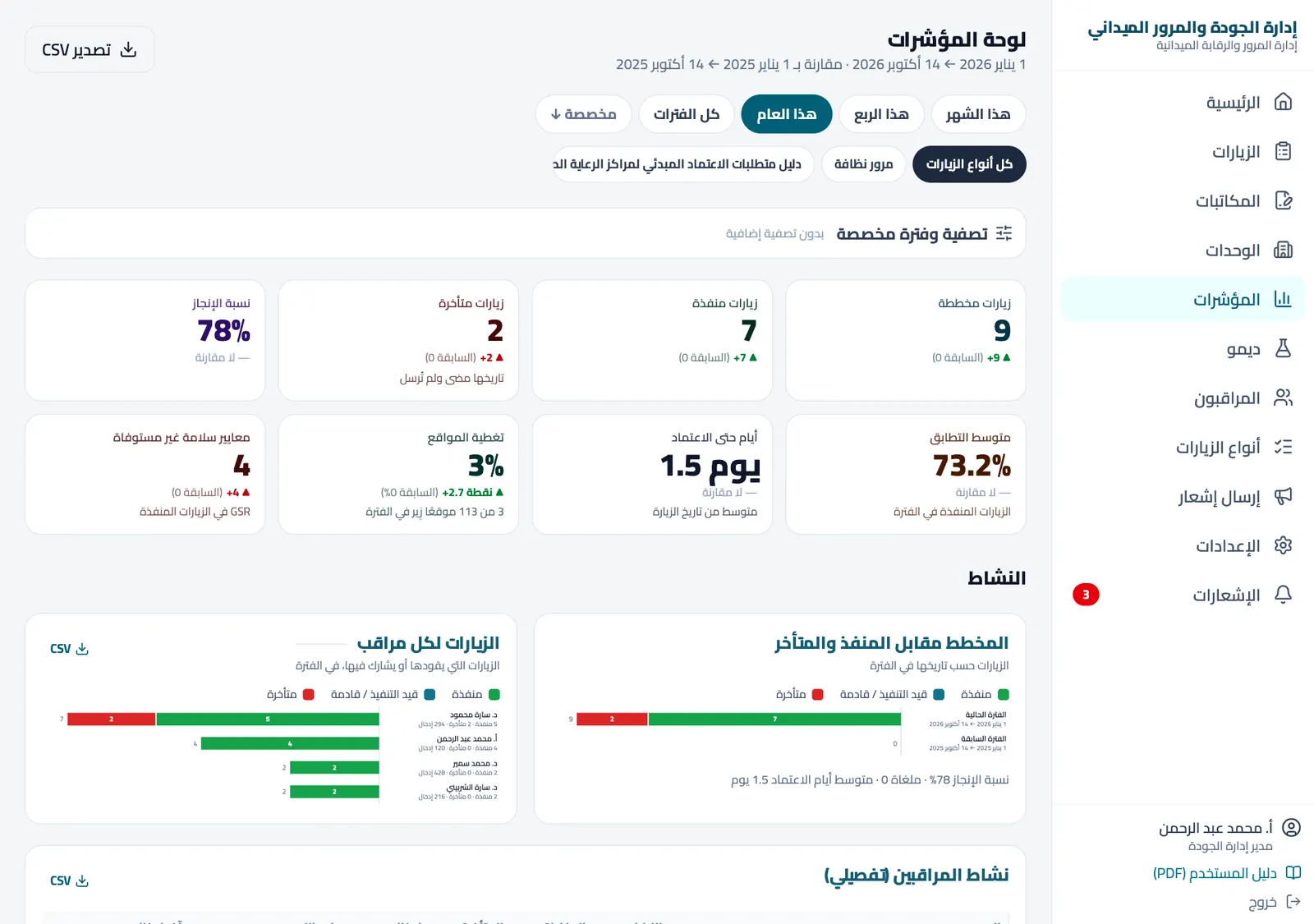
How many visits were planned in the period, how many were done and how many are overdue — against the equivalent previous period.
Average compliance month by month, per visit type and per site, with the distribution of decisions.
Who improved since their last visit and who slipped — as a number, not an impression.
The items that fail across most sites and unmet safety standards — to target support and training.
The share of sites visited in the period and the gaps left in each area.
Visits per inspector, average days to approval and delays — in detail, with CSV export.
Every card compares with the previous period and every table exports to CSV in one tap.
From sign-up to your first report in minutes — no training, nothing to install
Organisation name, mobile number and a WhatsApp code — you become the admin.
Four header lines and your logo appear on every report and letter.
Build your checklist with sections, items and weights, or start from a ready template and adapt it.
Add areas, sites and inspectors, then assign a team and a date to each visit.
Clear items, photos and notes — works offline and syncs automatically.
An instant A4 report for approval and print, and a dashboard that updates with every visit.
Built for real field work — not spreadsheets and paper files
Compliance averages and their trend, site rankings and recurring weak items — so you know where to step in.
Assign a team to each visit and watch progress live: who started, how many items are scored, what was submitted.
Clear items, photos and notes on every item — works offline and syncs automatically when the network returns.
Cover, summary, scores, charts and signatures — print or PDF in one tap as soon as it is approved.
Visit types with your own sections, items, weights and decision rules — or start from the ready GAHAR template.
Letters on your letterhead from the phone, with automatic numbering and ready templates, exported to PDF instantly.
Every visit, report and letter stored and indexed — found by search in seconds instead of paper files.
Assignments, a morning reminder on visit day, and an alert to you on submission.
Admin and inspector roles, every change recorded with who and when, and your data visible to nobody else.
Any organisation whose teams visit sites and assess them against standards — public or private
Rounds on units and centres — the GAHAR provisional accreditation template is ready.
School, classroom and lab follow-up against education standards.
Cleanliness, markets, roads, encroachments and street lighting.
Hygiene, storage, handling and product-expiry requirements.
Health & safety walks, PPE and fire-protection checks.
Room, kitchen, service and public-area standards.
Mystery-shopper visits and display & service standards per branch.
Quality and safety inspections across execution stages.
Planned maintenance rounds, asset condition and contractor performance.
Every organisation builds its own checklists (visit types) or starts from a ready template and adapts it — with no limit on types, sites or users.
For health directorates preparing their units for provisional accreditation
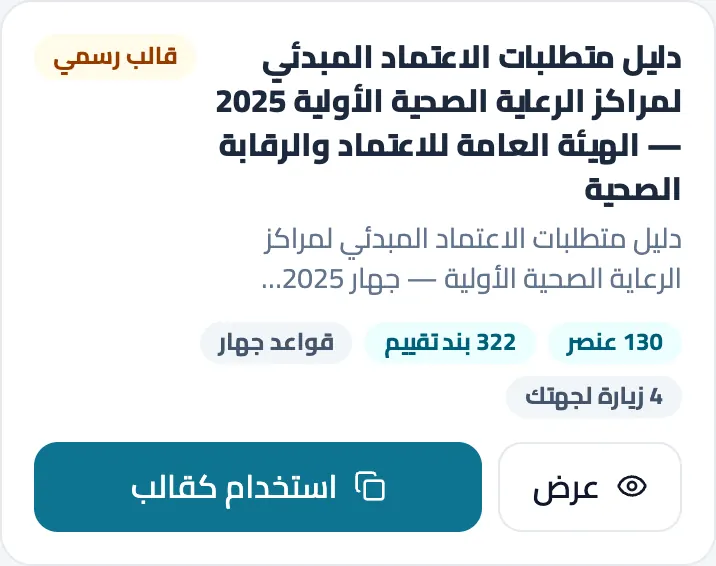
The provisional accreditation requirements for primary healthcare centres (General Authority for Healthcare Accreditation and Regulation — GAHAR 2025) are loaded as an official template with its sections, standards, assessment items and decision rules. Use it as is, or clone and adapt it for your organisation.
The template is an implementation aid for inspection teams; the official reference is the guide published by the authority.
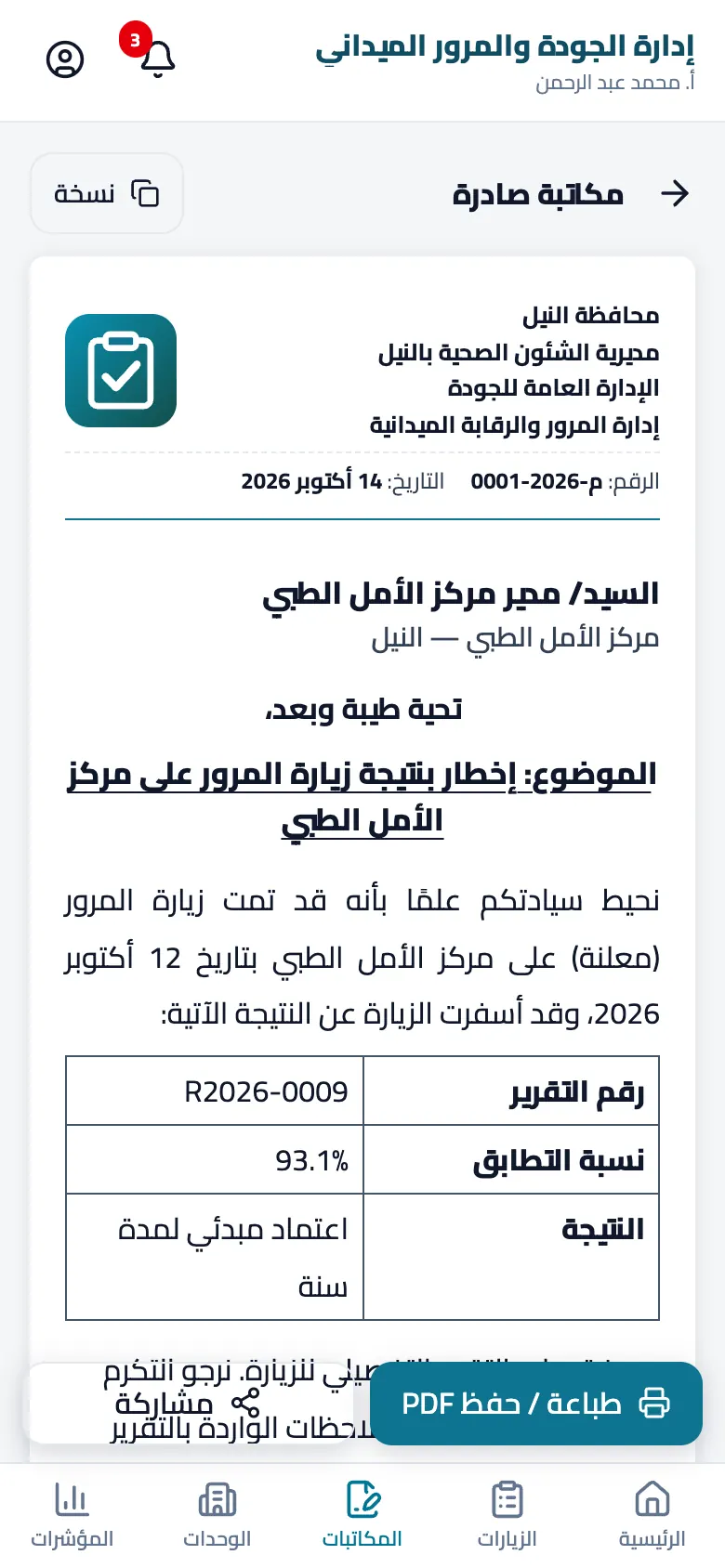
Visit-result notices, assignments, warnings — on your letterhead in a minute
A sequential outgoing number and date, in the numbering format your organisation sets.
Visit-result notices and more, pre-filled from the visit — or write from scratch.
Your logo, header lines and the manager's signature — exactly as in the reports.
Export or share instantly; the letter stays archived with its visit.
Each organisation's data belongs to it alone — Geo.Tech only hosts it on its behalf
Every organisation lives in its own space; no account can see another organisation's data.
Mobile number and a WhatsApp code, then a password — with attempt limits.
The admin adds users and sets their roles; an inspector sees only their own visits.
Every addition, edit and approval is recorded with who and when — including any support access.
HTTPS on every page and periodic backups of the data.
CSV export from the dashboards, and a full export or deletion of the organisation on request.
Details in the privacy policy and the terms of use (Arabic).
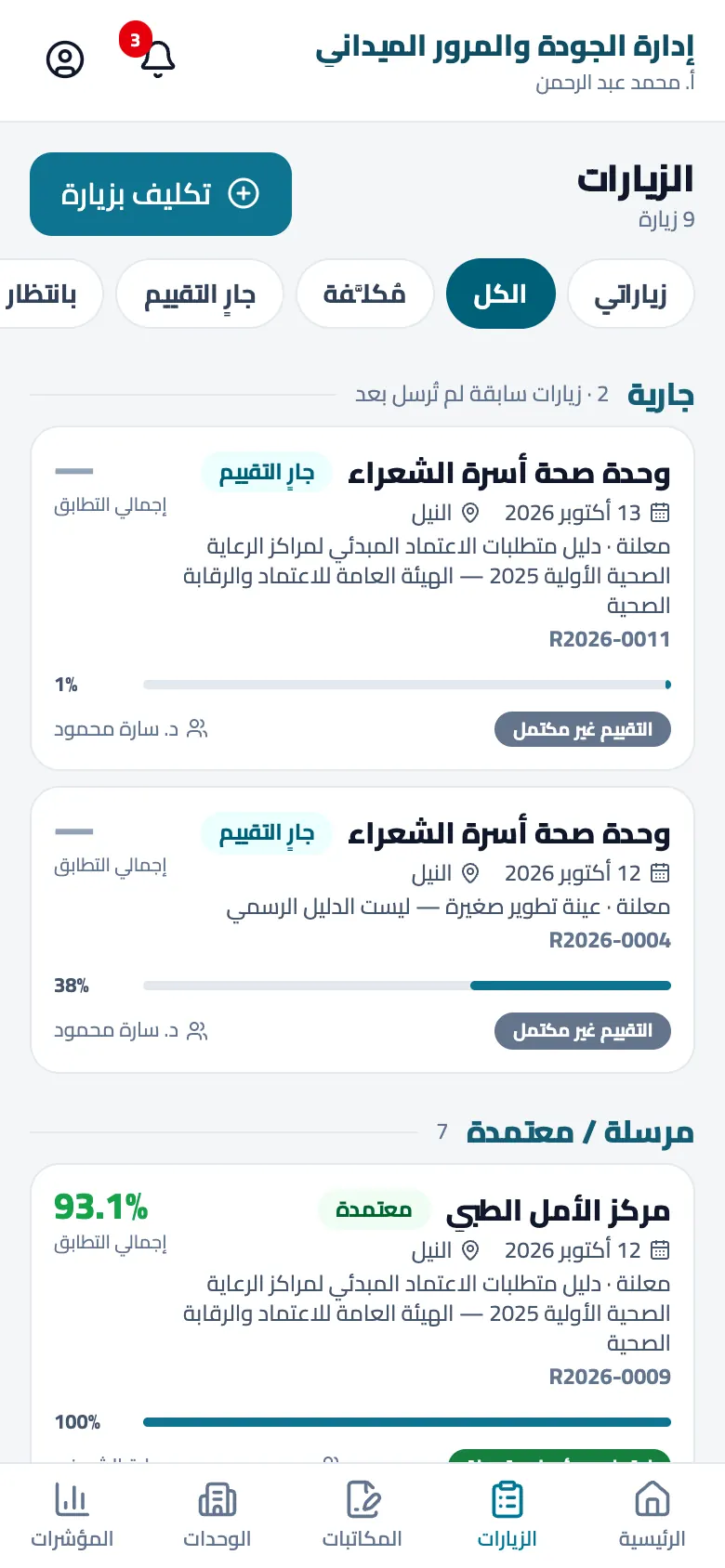
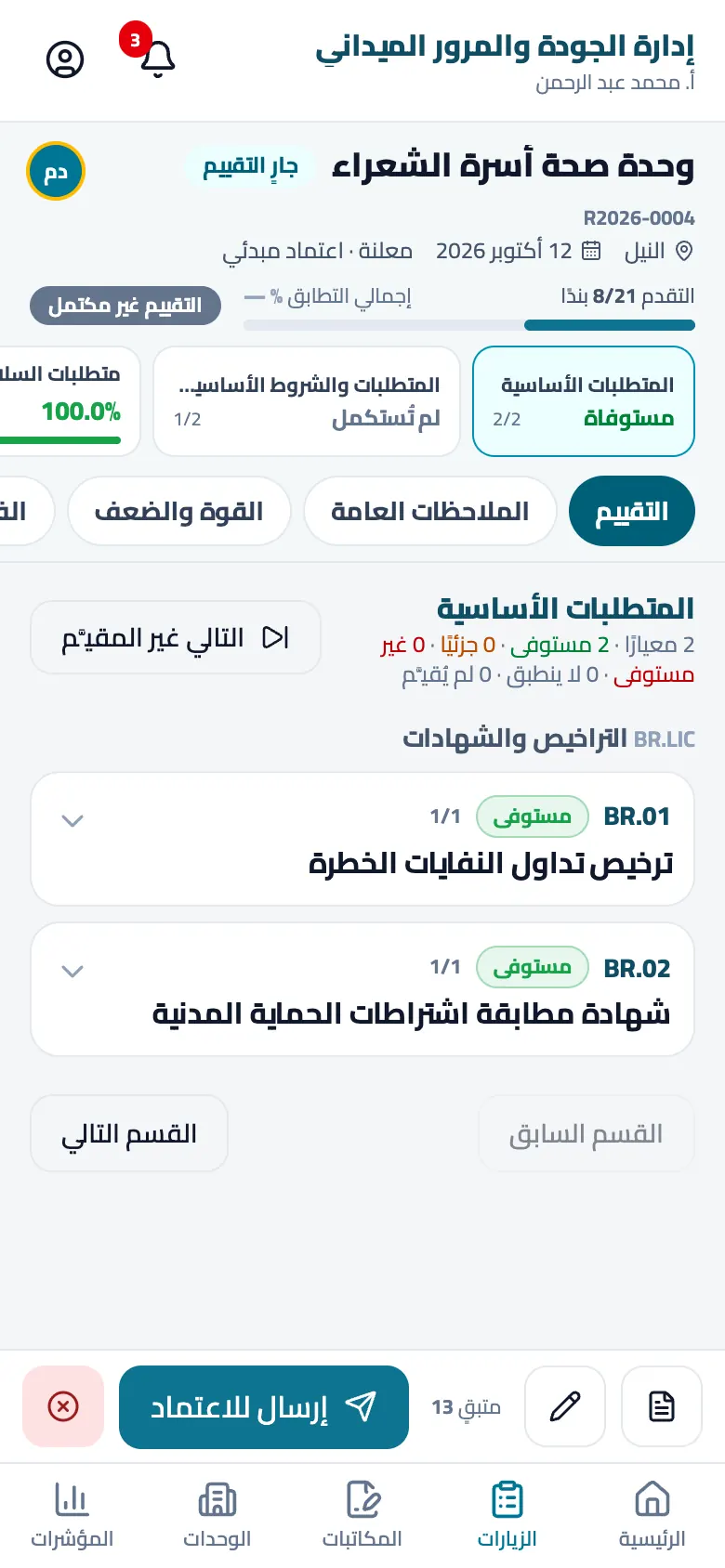
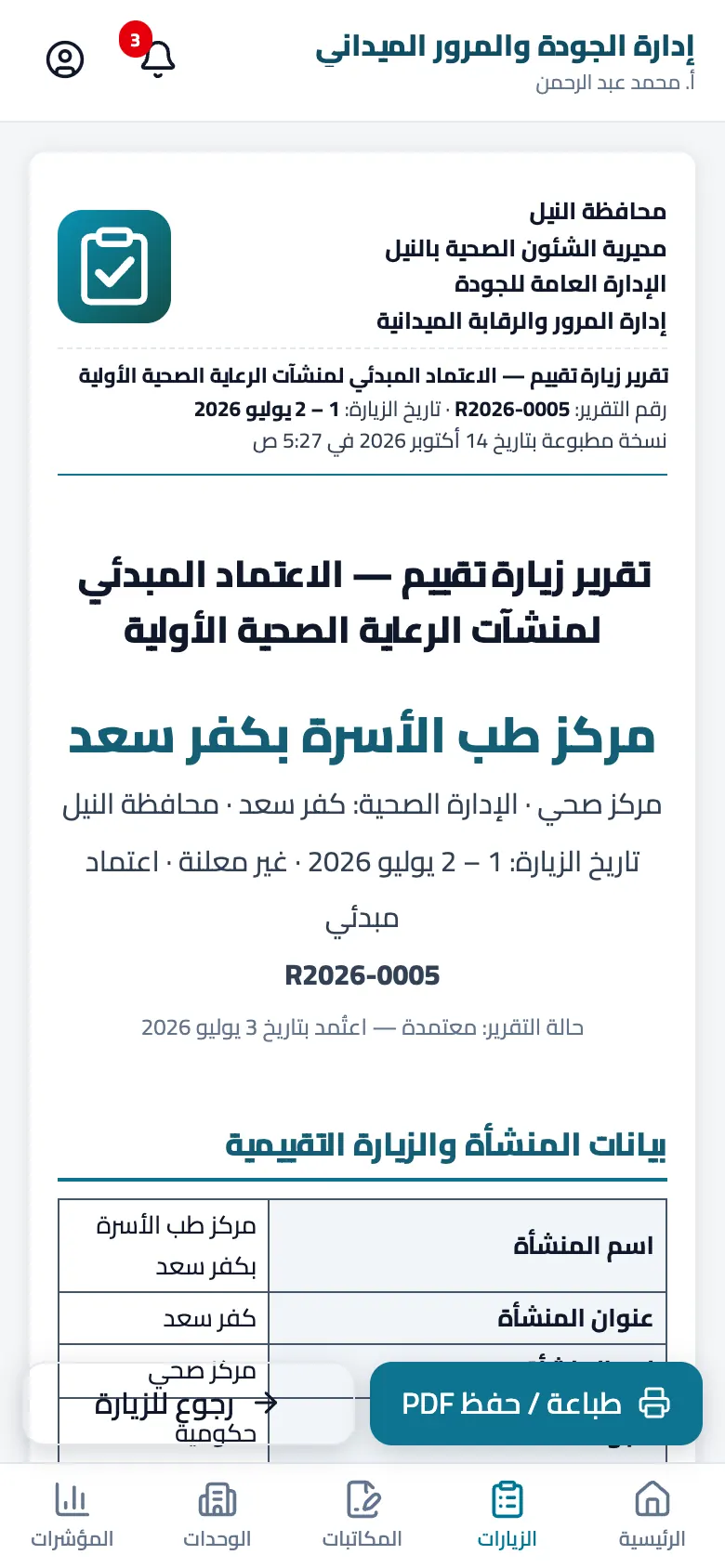
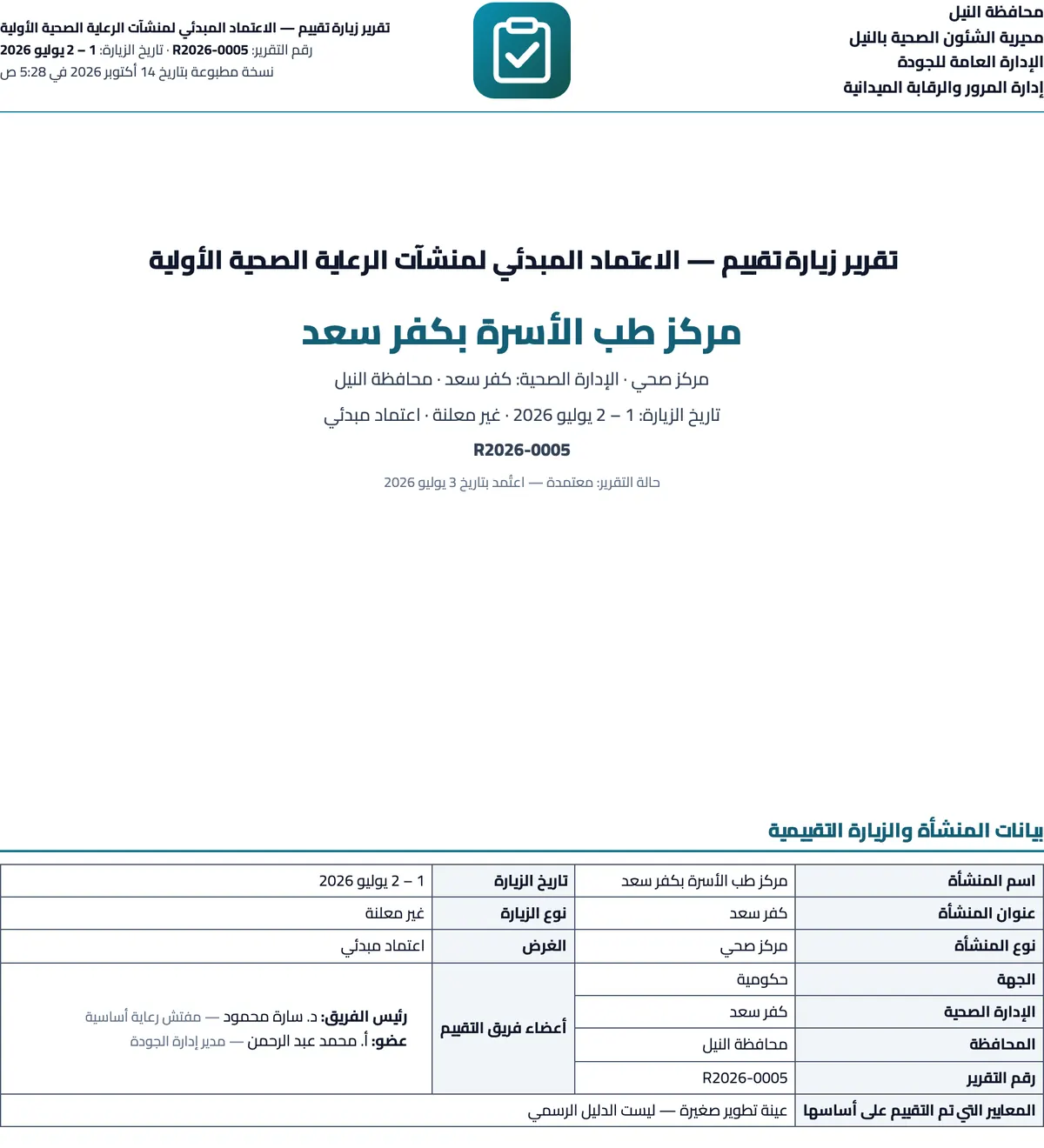
Real screens from the mobile app and the printed report (Arabic UI)
Short answers to what department managers ask before signing up
Yes. All current features are free with no limit on visits, sites or users, and no card is required. Optional paid add-ons may come later; nothing you use today will start costing money without prior notice and a reasonable grace period.
Absolutely. The platform is sector-neutral: you create visit types with the sections, items, weights and decision rules your field needs — education, municipalities, food safety, factories or retail. GAHAR is simply one ready-made template for those who need it.
Yes. Inspectors keep recording items and notes on site without a network; changes are sent automatically when the connection returns, and the app shows the sync status clearly.
No. It opens directly in the phone's browser and can be added to the home screen to run full-screen like an app, with phone notifications.
Your organisation does. Geo.Tech hosts and processes it on your behalf only to provide the service and never shares it with anyone. You can export tables as CSV from the dashboards at any time, and request a full export or deletion of the organisation's account by contacting us.
The admin adds their mobile numbers and roles; each member signs in with their mobile number and a WhatsApp code, then picks a password. No e-mail is needed.
Official templates are read-only so they stay a correct reference, but you can clone any template into your organisation and edit it freely, or build a new visit type from scratch with its sections, items, weights and report format.
In Settings you write four header lines and upload the logo once; they then appear automatically on every report cover and letter head, together with the signatories you define per visit type.
Yes. Sites are organised into areas (departments or branches) without limit, dashboards and reports filter by area, visit type and period, and each inspector sees only what they were assigned.
The app interface is currently fully Arabic (right-to-left); this introduction page is available in Arabic and English. Contact us about other languages.
Register in a minute — two sample visits are ready so you can see the report and KPIs right away, then set your letterhead and add your team.
No card · nothing to install · leave any time