Points history
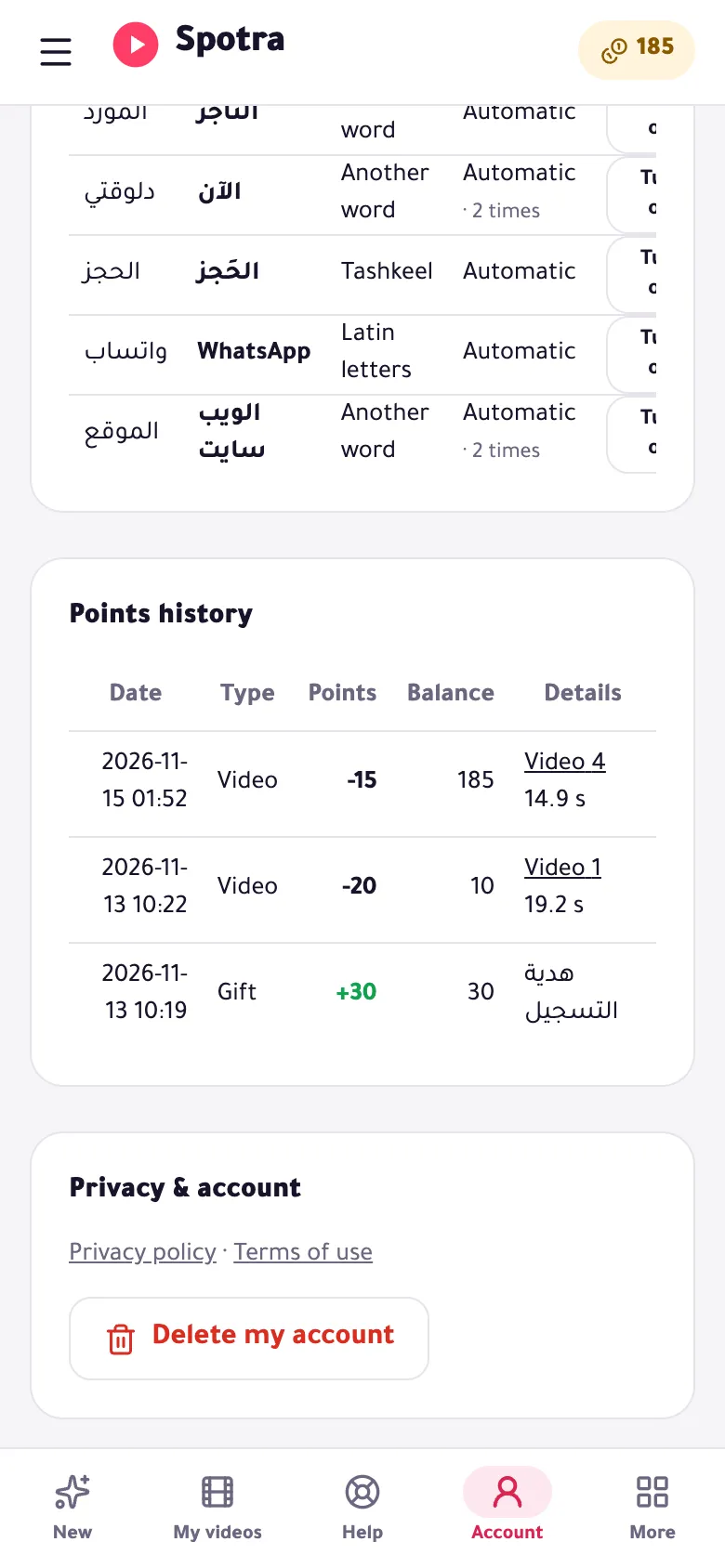
«My account» → «Points history»: every gift, top-up, charge and refund, with the video number and the balance after it.
Account ownerWordPress siteNews siteScreen «Account»
- 1
Open «My account».
- 2
Scroll to «Points history»: the date, the type (gift, video, top-up, refund), the points and the balance.
- 3
Tap «Video …» to open the video the points were spent on.
Real screenshots from Spotra — the number is the step, and the coloured frame shows where to tap. Tap a picture to enlarge it.
Was this article helpful?