The Spotra mobile app
The same account and the same videos on Android and iPhone — sign in with the same number.
Account owner
- 1
Download Spotra from your phone's app store.
- 2
Sign in with your number and password (or a WhatsApp code).
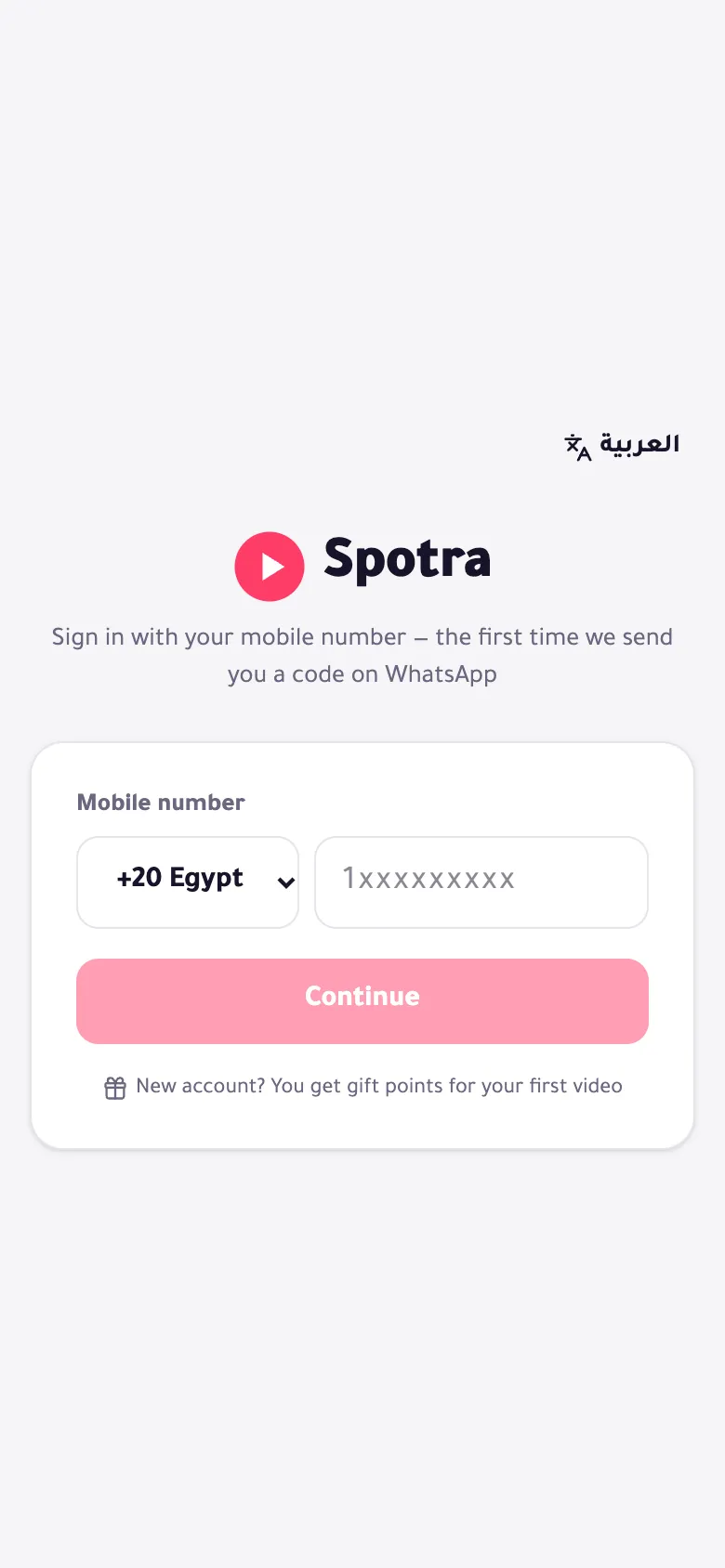
- 3
«New video»: paste the link from your browser or your store's app, or choose «From my photos» and add photos from your gallery.
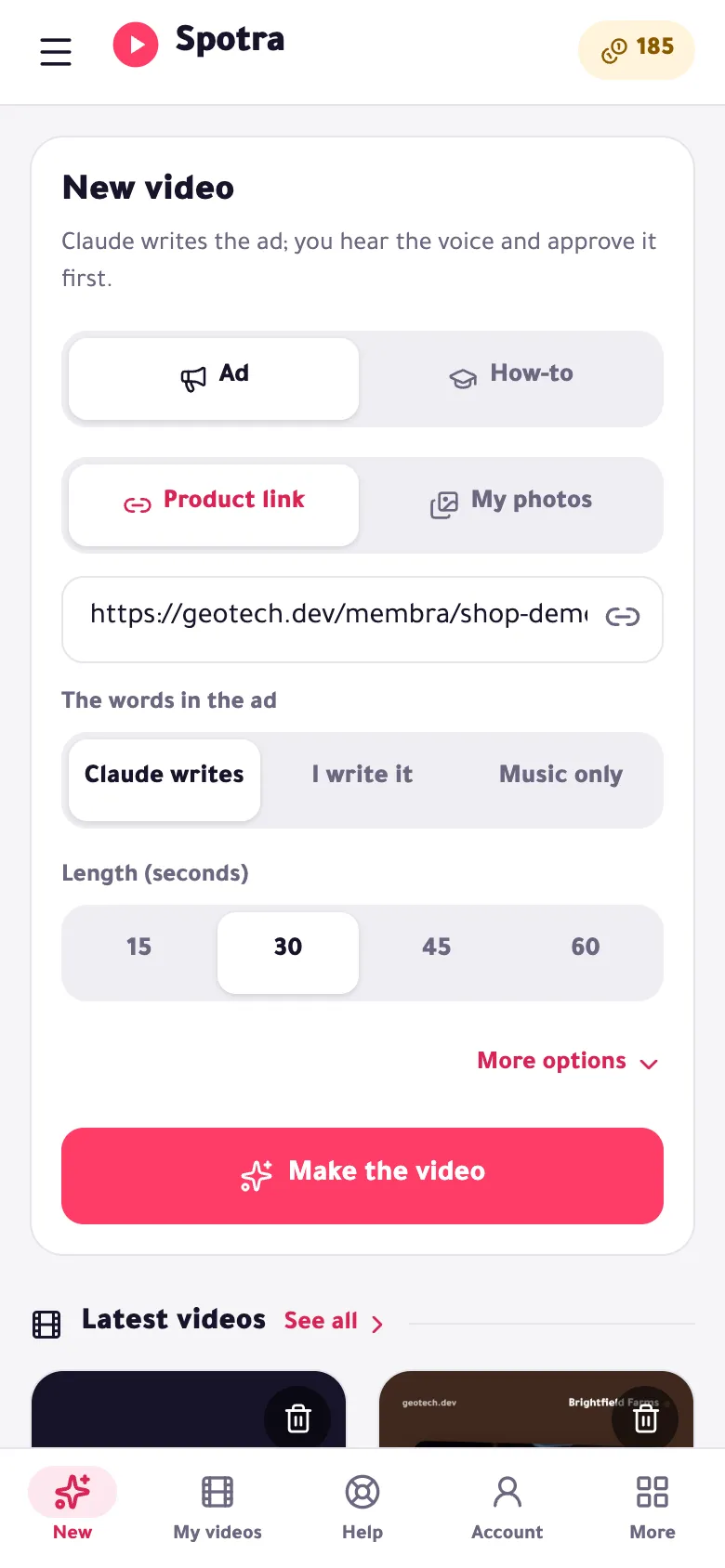
- 4
Listen and approve; «Download video» saves it to your photos.
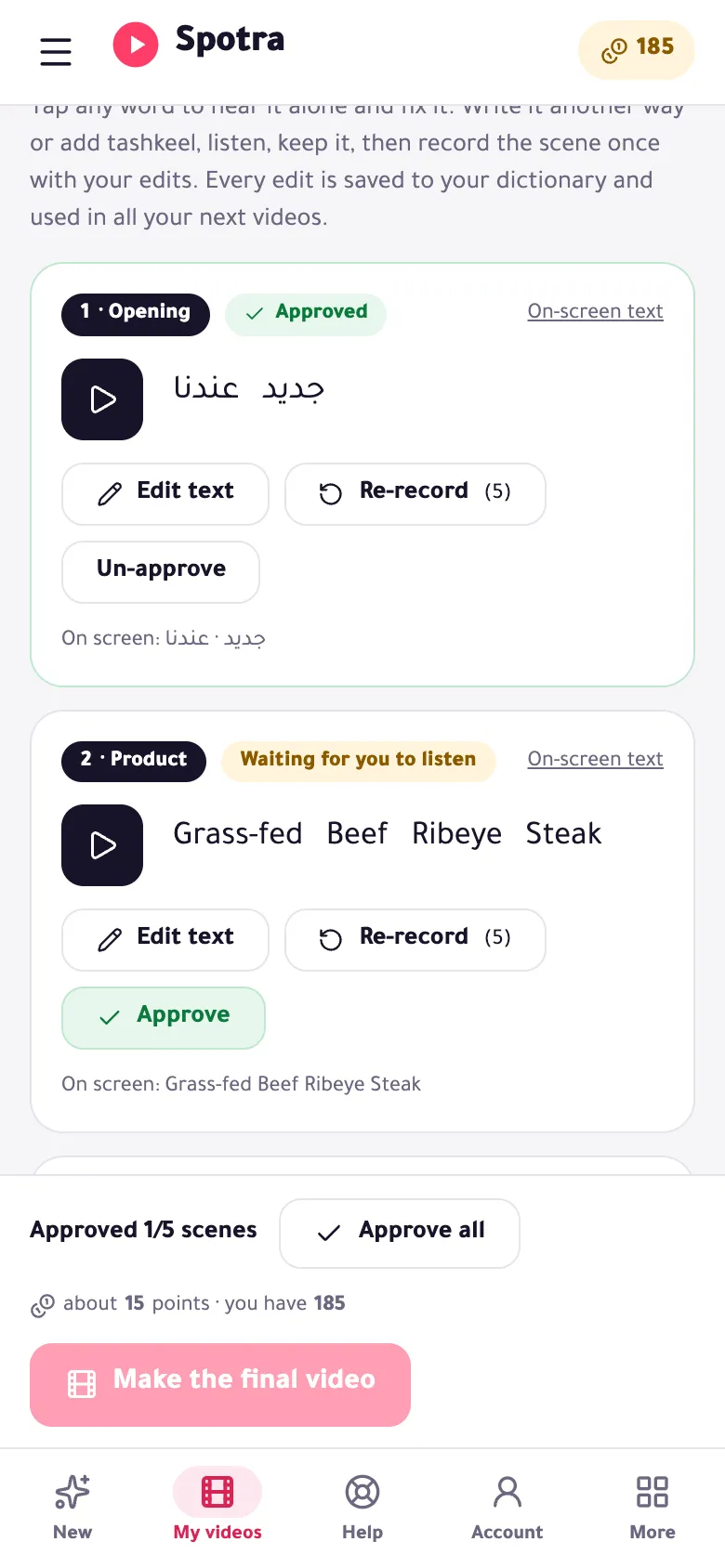
Real screenshots from Spotra — the number is the step, and the coloured frame shows where to tap. Tap a picture to enlarge it.
Was this article helpful?