Edit the text written on screen
Each scene has written text (product name, price, the closing line…) separate from the spoken words — edit it from «Screen text».
Account ownerWordPress siteNews site
- 1
On the video page, on the scene, tap «Screen text».
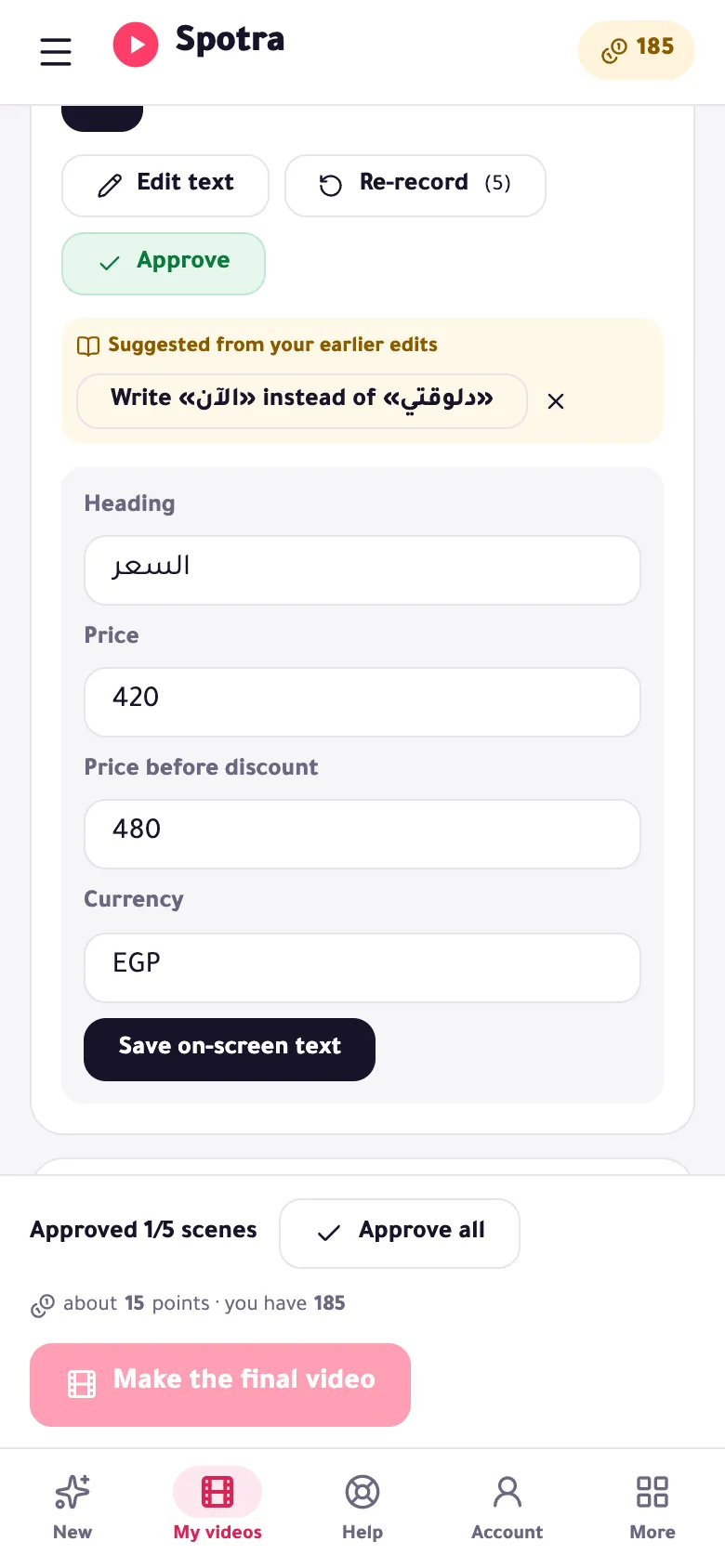
- 2
Edit the fields: e.g. «Product name» and «Line under the name», or «Price», «Price before discount» and «Currency», or «Line» on the end card.
- 3
Tap «Save screen text» — it shows in the next preview and in the final video.
Real screenshots from Spotra — the number is the step, and the coloured frame shows where to tap. Tap a picture to enlarge it.
Editing screen text doesn't need a new voice recording.
Was this article helpful?