Try a word on its own before recording
While editing the text, type the word in «Try a word on its own» and listen — without using up a recording.
Account ownerWordPress siteNews site
- 1
On the scene, tap «Edit text».
- 2
In the box below, «Try a word on its own», type the word the way you want it (e.g. «يصِل إليك»).
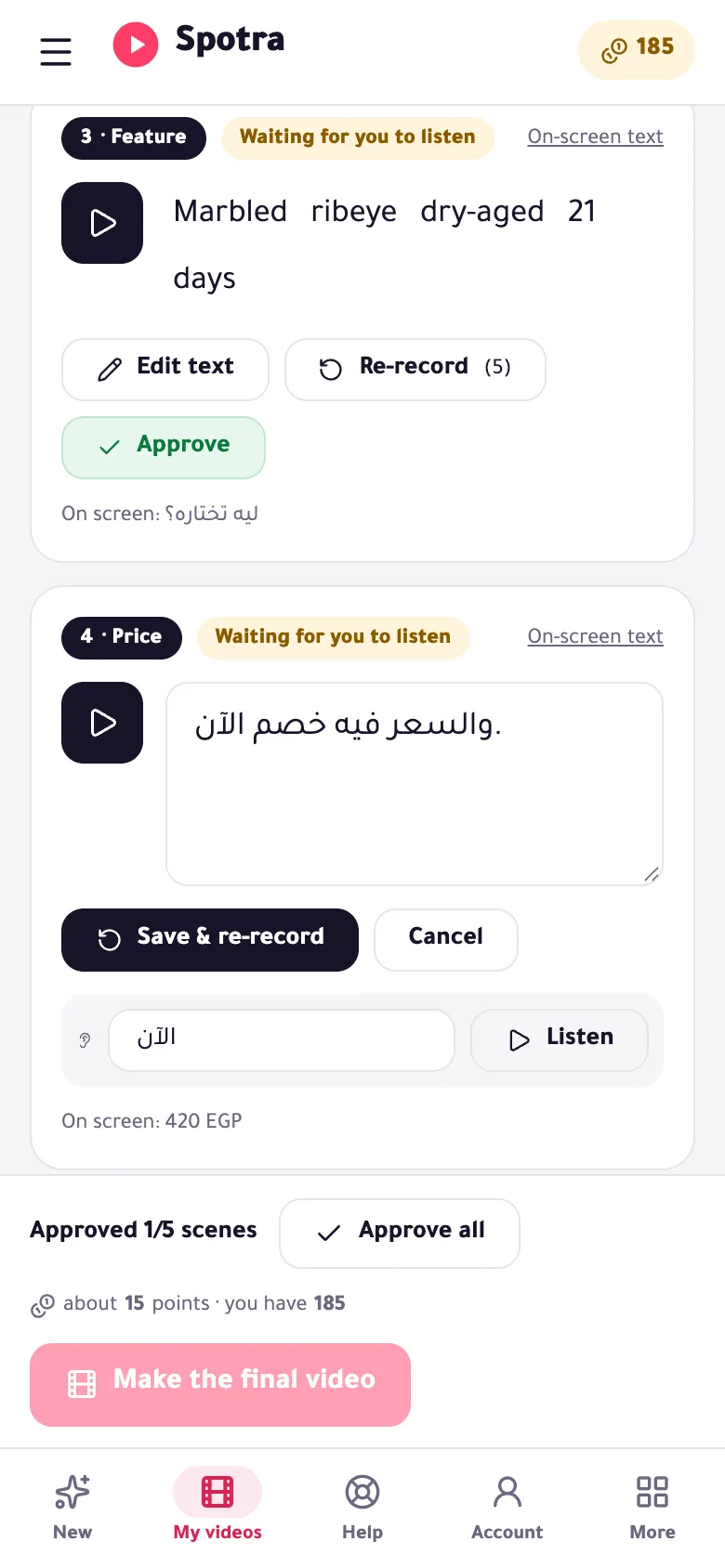
- 3
Tap «Listen» — if it sounds right, write it that way in the text and tap «Save and re-record».
Real screenshots from Spotra — the number is the step, and the coloured frame shows where to tap. Tap a picture to enlarge it.
You can also tap the word directly in the scene, try it, then tap «Keep word».
Was this article helpful?