Voice dictionary: Spotra learns from your edits
Every word you change in the spoken text is saved to your dictionary and applied automatically to all your future videos from the very first time — no suggestions waiting for you.
- 1
Edit any scene's words (by tapping a word or with «Edit text») — the edit is saved by itself.
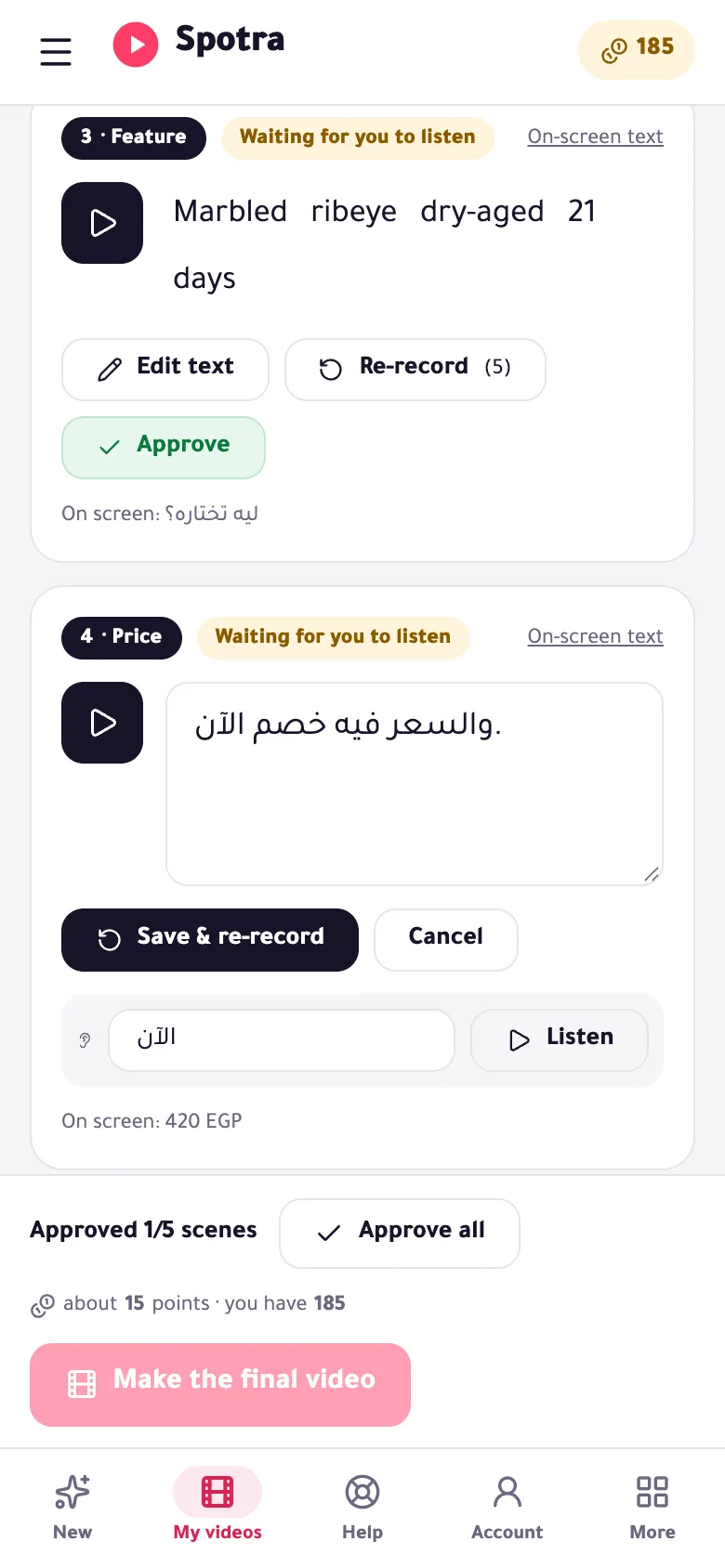
- 2
In your next video the edit is applied by itself, and a «From your dictionary» line under the scene shows what changed.
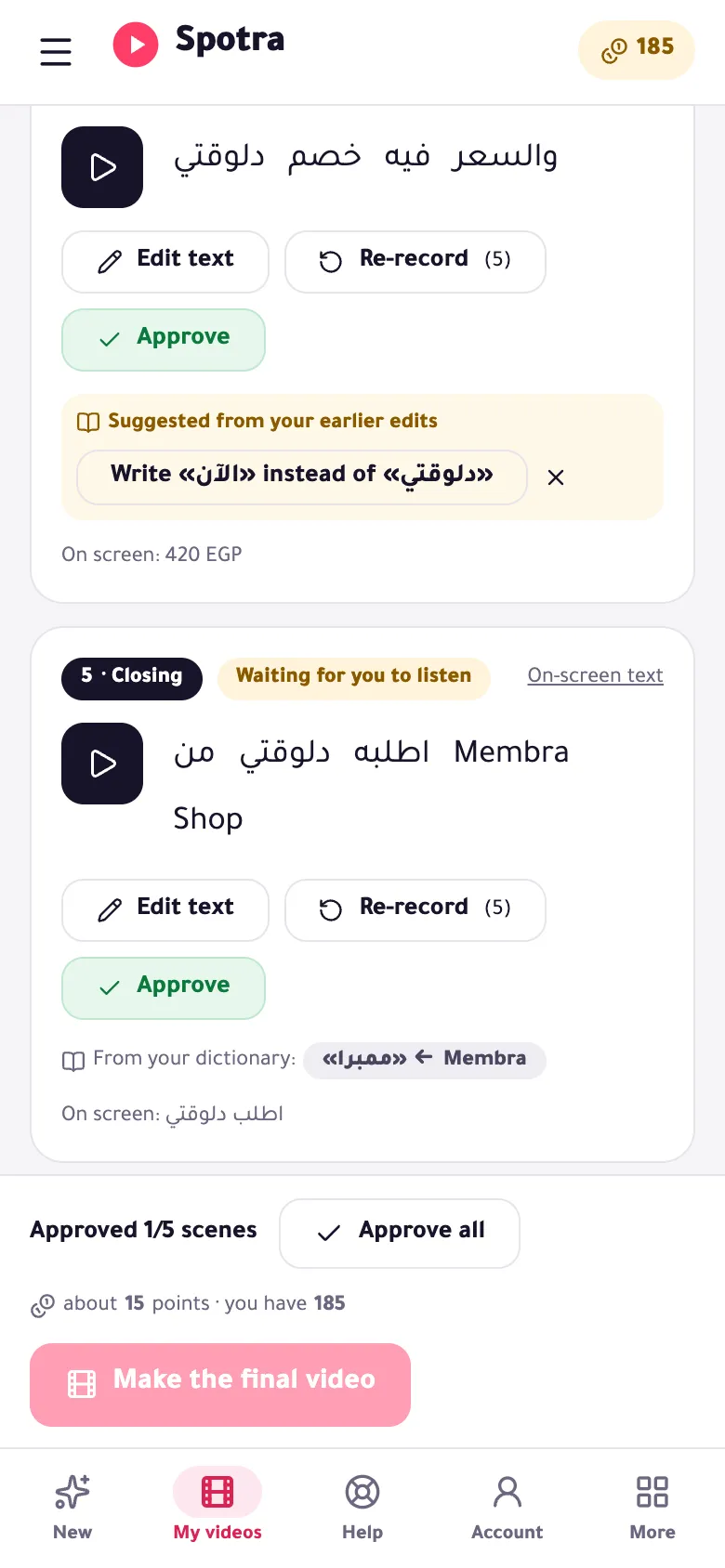
- 3
Open «My account» → «Voice dictionary» to see each word, its type and how many times you've edited it.
- 4
Don't want an edit any more? Tap «Turn off» — «Turn on» brings it back.
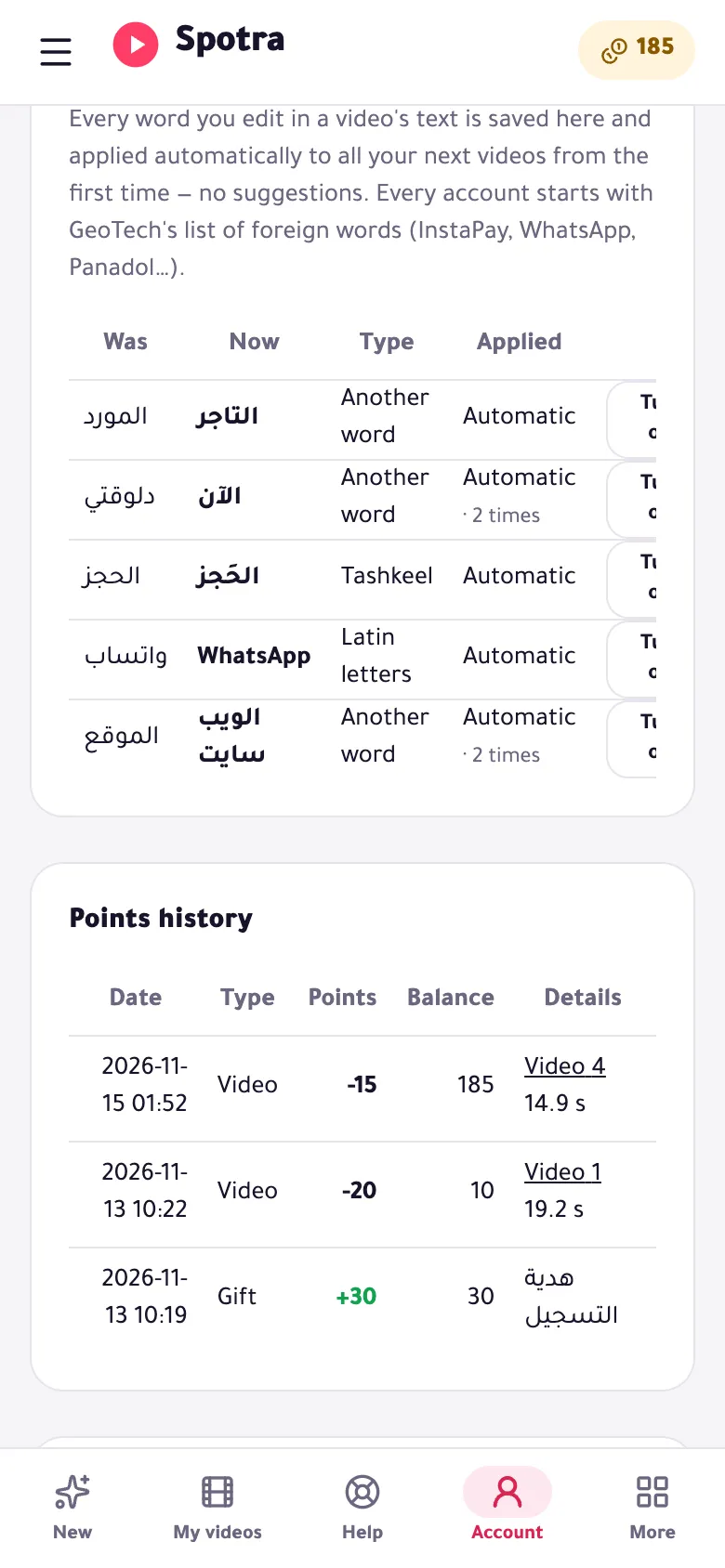
Real screenshots from Spotra — the number is the step, and the coloured frame shows where to tap. Tap a picture to enlarge it.
Every account starts with GeoTech's list of foreign words: InstaPay, WhatsApp, Panadol… are written in Latin letters so they're pronounced right.
The dictionary is applied to the text you write yourself too.
Finished videos don't change.